Why businesses are switching from Zendesk
-
 High pricesExpensive for both early-stage startups and growing businesses
 -
 Locked featuresMany useful features are only available on the highest-tier plans
 -
 Strict cancellation policyYou must give advance notice to stop using the service
 -
 Hard to navigateFinding the right settings and options requires too much time
 -
 Support challengesGetting help can require more time and follow-up than expected
 -
 New non-dismissible featuresUnwanted updates interfere with usual workflow and focus




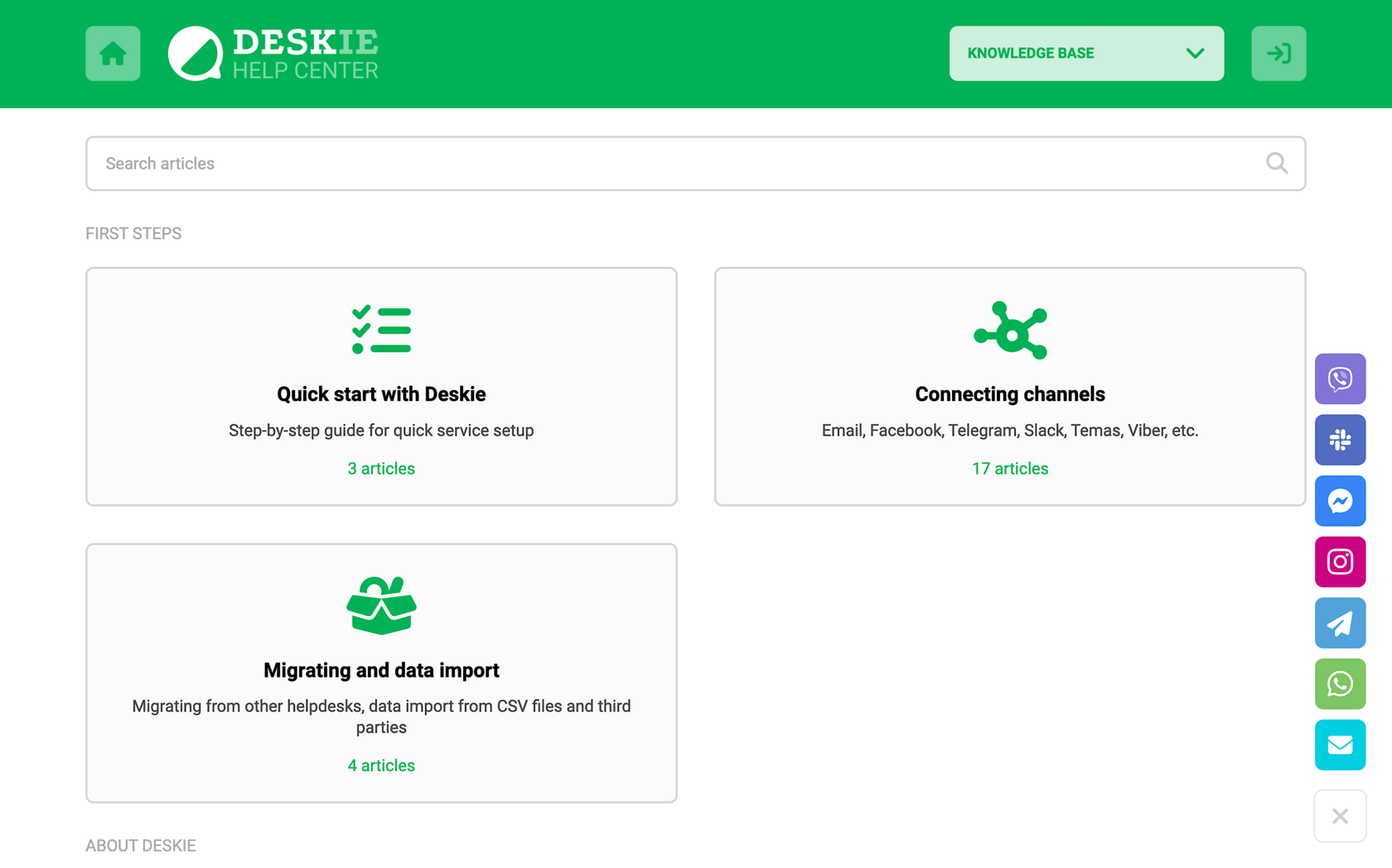
— Knowledge Base → Request;
— All Channels;
— Only Email;
— Only Messengers.
Additionally, User Identification is available as a modal widget that generates a unique code for identifying customers across your systems.
By using AND/OR logical operators between blocks, you can automate complex processes without the need to create numerous separate rules, making automation flexible and efficient.
Focus modes help agents concentrate by showing only their own open cases and active chats. Automatic distribution respects limits you set on open cases and active chats, allowing agents to do their work with quality and peace of mind.
Redistributed cases prioritize customers who have been waiting the longest, improving response times.
In Zendesk, you must pay for administrator accounts even if they don't need access to cases.
Plans differ only in the guaranteed reaction time of our support, limits, and the ability to order paid reworks.
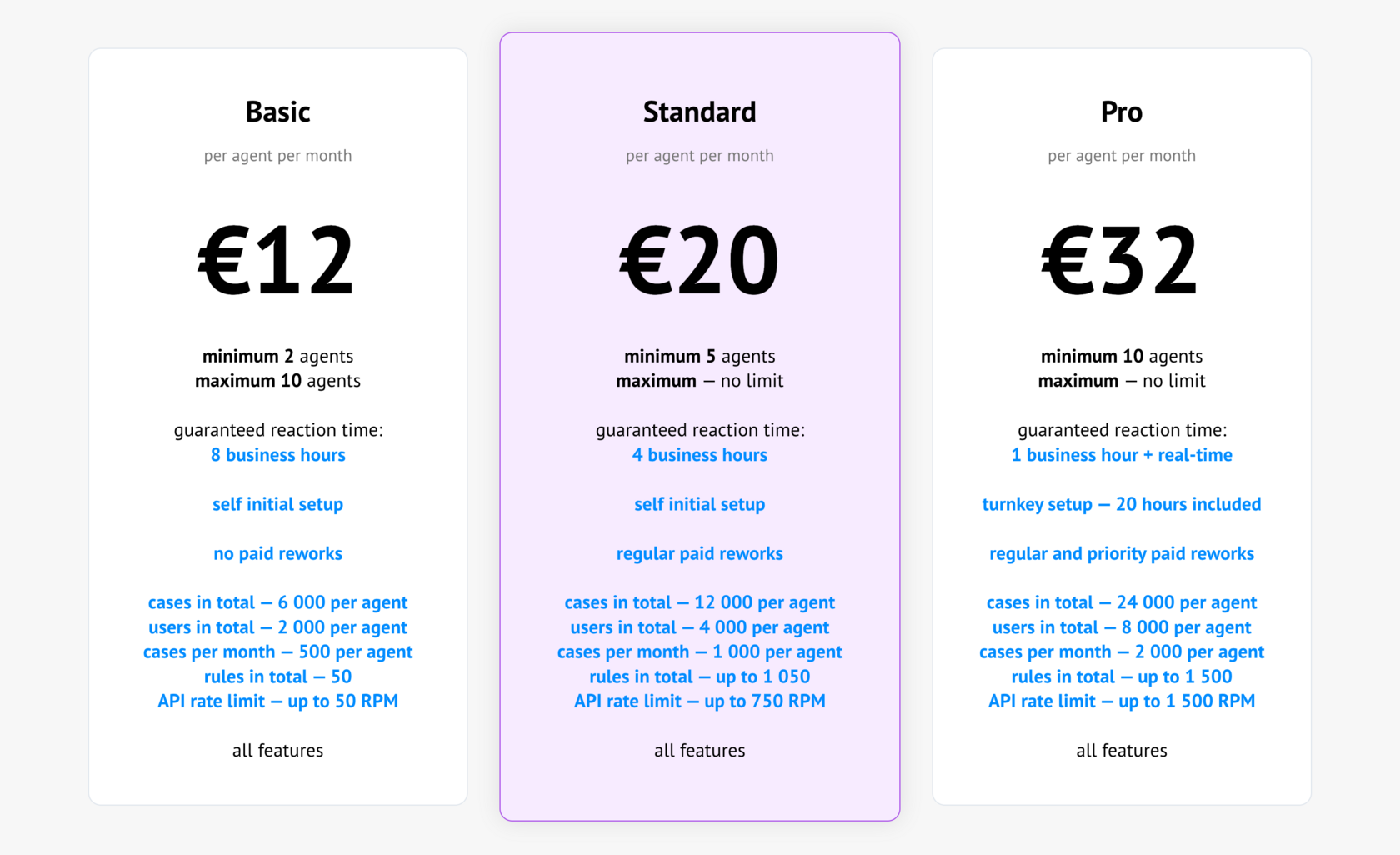
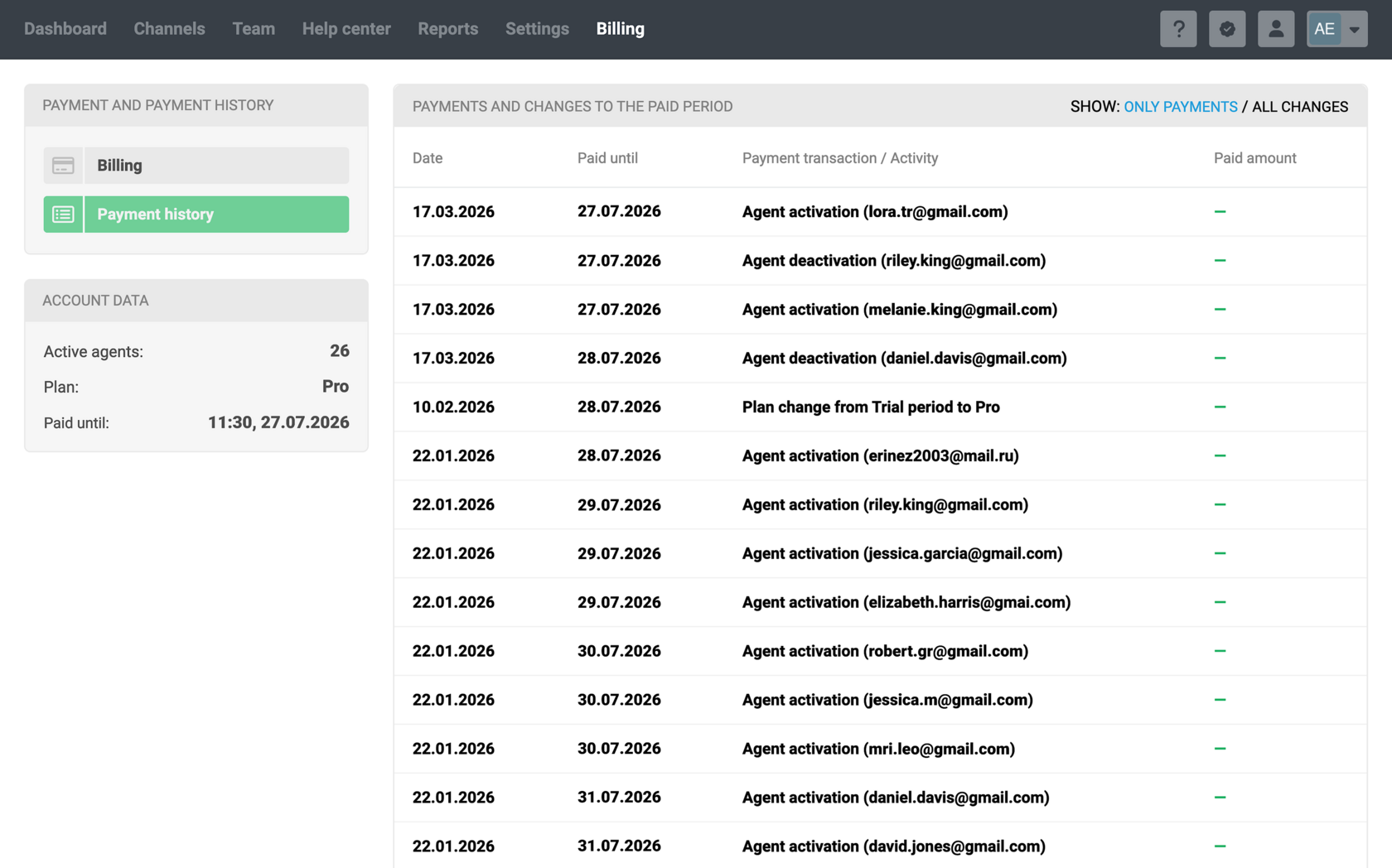
An agent can be added for half a day or for half a year, and the prepaid period is adjusted immediately upon adding or removing the agent.
This approach is more fair and cost-efficient than monthly or daily charges.
Auto-refresh every 2 minutes — updates the full list to keep it current and limit the view to the first 25 filtered cases, preventing overload when many requests come in.
This logic is used because providing top-notch support requires taking into account the specifics and expectations of customers depending on the type of communication channel.
If for some reason it doesn't suit you, there is an option to handle both synchronous and asynchronous cases through a single interface.
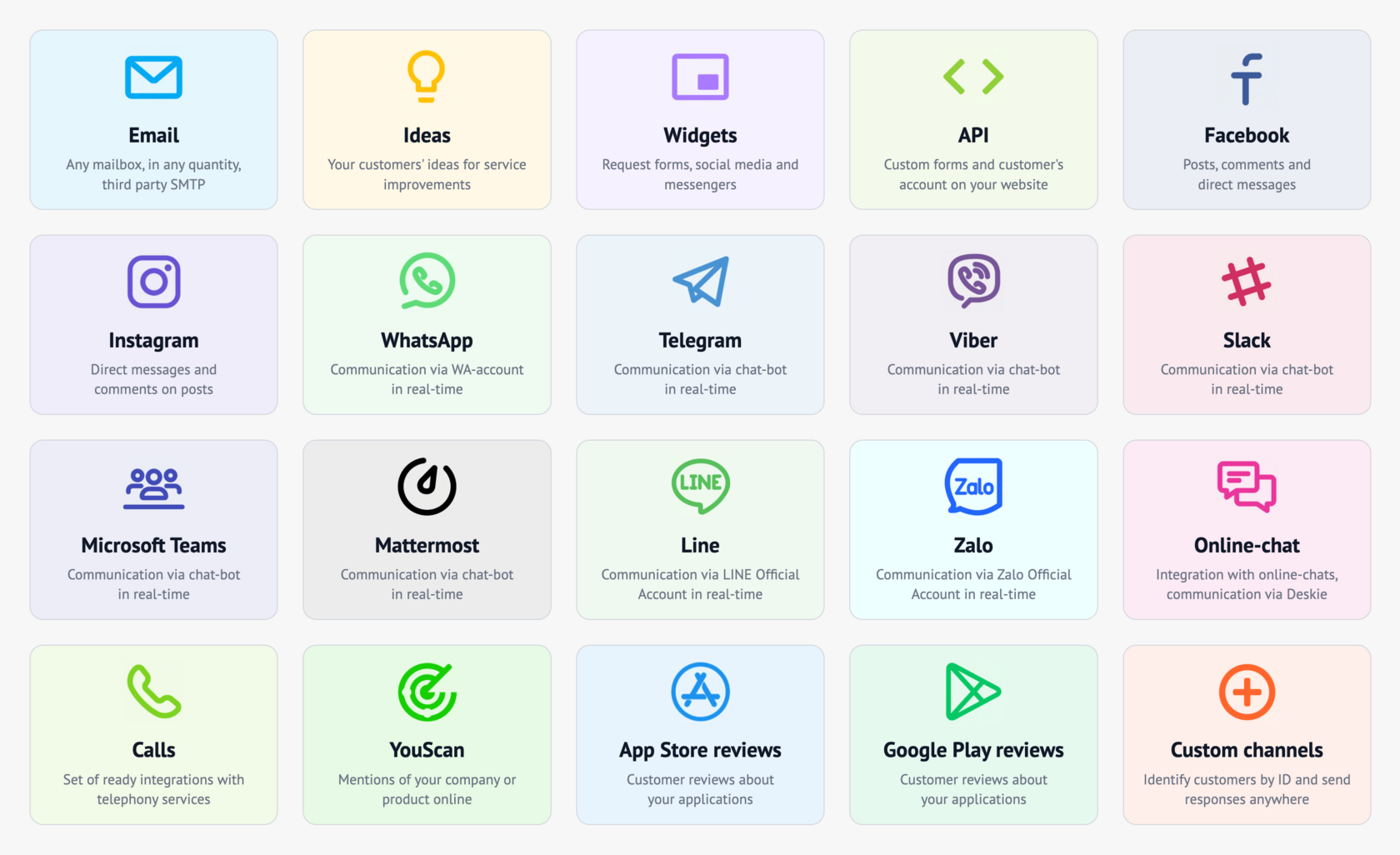
Majority of them connect directly to Deskie (via official APIs) and are already included in the price. If a channel implies integration with a third-party service (for example, telephony or WhatsApp), then integration on our side is free, but you have to pay for the third-party service separately.
Main Features Comparison
The key features that are most important to helpdesk users
Deskie offers a lot of channels included in the price, while in Zendesk, channel availability largely depends on the chosen plan and may require additional payments
✅ All channels available on any plan.
✅ There are no limits on added channels.
✅ Telegram connects through a Telegram bot.
✅ Custom channel connection is available on all plans.
❌ Some channels are available only on higher-tier plans.
❌ An additional channel may require extra payment.
❌ Telegram is available as a paid add-on integration.
❌ Custom channel connections for Suite Professional+.
With block-based rules, Deskie can handle multiple scenarios in a single rule, whereas Zendesk requires separate rules for each scenario
✅ All functionality is available regardless of the selected plan.
✅ Up to 5 condition blocks with AND/OR operators between them.
✅ Rules for existing cases run every 30 minutes.
❌ Rules for existing cases can process up to 200 cases per run (30 min).
❌ Rules for existing cases process cases with replies/notes in the last 30 days.
✅ Rules for exiting cases process cases regardless of their current status.
❌ Limits depend on the number of active agents and the pricing plan.
❌ Automation capabilities depend on your pricing plan.
❌ Only 2 condition blocks with AND operator between them.
❌ Automations run once per hour.
✅ Automations can process up to 1,000 cases per hour.
✅ Automations process cases regardless of the last update.
❌ Automations do not process closed cases.
✅ Fixed limits on the number of rules (automations —500, triggers — 7000).
Unlike Zendesk, Deskie allows setting custom agents access rights regardless of the selected pricing plan
✅ Agent access can be configured flexibly, regardless of the chosen plan.
✅ Admins who only handle settings, without access to tickets, are free.
✅ You can add a Light Agent (€10 each) without reply permissions.
❌ Creating custom roles is available only on the Enterprise plan.
❌ You must pay for admin accounts even if they don’t need access to tickets.
✅ Free Light agents included in Suite Professional and Enterprise plans.
Deskie offers unlimited light users on all plans, while Zendesk limits light users to certain plans
✅ Ability to edit all case properties
✅ Ability to add or edit private notes
✅ Ability to forward tickets
✅ Ability to export correspondence, cases/users lists
❌ No permission to create cases
❌ No permission to create users
✅ Ability to use the @mention feature
✅ Ability to edit users properties
✅ Ability to create and edit companies
✅ Ability to edit knowledge base
✅ Ability to set individual access
❌ No permission to edit ticket properties unless they are the ticket requester
✅ Ability to add or edit private notes
✅ Ability to forward tickets
❌ No permission to export data
✅ Create cases on behalf of existing end users
❌ No permission to create users
❌ No permission to use the @mention feature
❌ No permission to edit users properties
❌ No permission to create and edit companies
✅ Ability to edit knowledge base
✅ Ability to set individual access
Deskie and Zendesk allow managing your team's availability through agent statuses in real time, independently of working hours
✅ Ability to create custom statuses independently of pricing plan.
✅ Unlimited custom agent statuses.
✅ Ability to restrict agent access to channels.
✅ Ability to limit daily time spent in statuses.
❌ Ability to create custom statuses only on Professional and Enterprise plans.
❌ Custom agent statuses are limited.
✅ Ability to restrict agent access to channels.
✅ Ability to limit daily time spent in statuses.
Deskie and Zendesk have significant differences in handling attachments
✅ Sending and receiving files across all pricing plans and channels.
❌ No ability to restrict file sending.
✅ Unlimited file storage.
✅ The maximum size of a single outbound file is 20 MB.
✅ Total of all outbound attachments cannot exceed 50 MB.
✅ Large attachments can be sent via cloud storage integrations.
❌ No attachment virus scanning.
❌ No file sending/receiving for Support Team on sync channels.
✅ File upload permissions for agents and end users.
❌ File storage depends on the selected plan and the number of agents.
❌ The maximum size of a single outbound file is 7 MB.
❌ Total of all outbound attachments cannot exceed 10 MB.
✅ Attachments over the limit become linked files.
✅ Attachment virus scanning.
Both Deskie (Focus Modes) and Zendesk (Routing queues) offer functionality to limit the number of cases assigned to agents
✅ Available on all plans.
✅ It's possible to redistribute unassigned cases every 2 minutes.
❌ The limit on the number of cases applies to all channels.
❌ Available only on Professional and Enterprise plans.
✅ Automatic reassignment of unassigned cases.
✅ Channel specific queues.
Deskie automatically provides a Help Center upon registration, whereas Zendesk requires the Suite Team+ plan
✅ Available on all plans.
✅ Help center customization is available on all pricing plans.
✅ Multilingual content on all plans.
❌ One Help Center per account.
❌ One knowledge base per account.
❌ No custom user segments.
✅ Customer portal is available on all pricing plans.
✅ Three-level knowledge base structure.
✅ Ideas Channel on all plans.
❌ No help center on the Support Team plan
❌ The level of help center customization depends on the plan.
❌ Multilingual content only on Suite Professional and Suite Enterprise plans.
✅ Multiple Help Centers for Suite Professional and Suite Enterprise plans.
✅ Multiple knowledge bases for Suite Professional and Suite Enterprise plans.
✅ Custom user segments.
❌ Customer portal only for Suite Professional and Suite Enterprise plans.
✅ Up to 2 levels deep for Suite Team and Professional, up to 6 for Enterprise.
❌ Product Feedback only for Suite Professional and Suite Enterprise plans.
Deskie and Zendesk give opportunity to set flexible work hours for your team
✅ Separate schedules for groups or individual agents on all plans.
✅ Setting holidays is available on all plans.
❌ The ability to create separate schedules is available only on Enterprise.
✅ Setting holidays is available on all plans.
Deskie and Zendesk implement artificial intelligence differently, but their overall capabilities are similar
✅ Available on all plans.
✅ AI is available via integration. Deskie does not charge for it — you pay directly to the AI service provider.
❌ Training the assistant requires developer involvement.
✅ Available on all plans.
❌ Some features are included, others require add-ons. Automated resolutions have limits — extra usage is paid.
✅ No need to involve developers. Learns automatically.
Full Features Comparison
Deskie and Zendesk have many features useful for helpdesk users. Let’s take a look at the differences.
2) One Help Center per account
2) Multiple Help Centers for Suite Professional+ plans
Pricing Plan
per agent per month paid annually
per agent per month paid annually
min 2 agents — max 10 agents
min 1 agent — no upper limit
min 5 agents — no upper limit
min 1 agent — no upper limit
min 10 agents — no upper limit
min 1 agent — no upper limit
min 1 agent — no upper limit
Basic
Minimum 2 agents — Maximum 10 agents
€12
€19
Standard
Minimum 5 agents — No upper limit
€20
€55
Pro
Minimum 10 agents — No upper limit
€32
€115
✅ 14-day free trial period
✅ Automatic recalculation of the paid period
✅ Adding an agent does not require immediate payment
✅ Pay-as-you-go service — no cancellation fees
✅ All features included in all pricing plans
✅ Remove agents any time without losing money
✅ Unlimited Light agents — €10 each
❌ No refund for early cancellation
✅ 14-day free trial period
❌ No recalculation of the paid period
❌ Adding an agent requires immediate payment
❌ Auto-renewal unless you notify Zendesk 30 days prior
❌ Not all features are available on all plans
❌ No recalculation for early removal
✅ Light agents included in Suite Professional and Enterprise plans
❌ No refund for early cancellation
We got great instructions and are here to help :)
via the widget in the bottom right corner 😉